Features
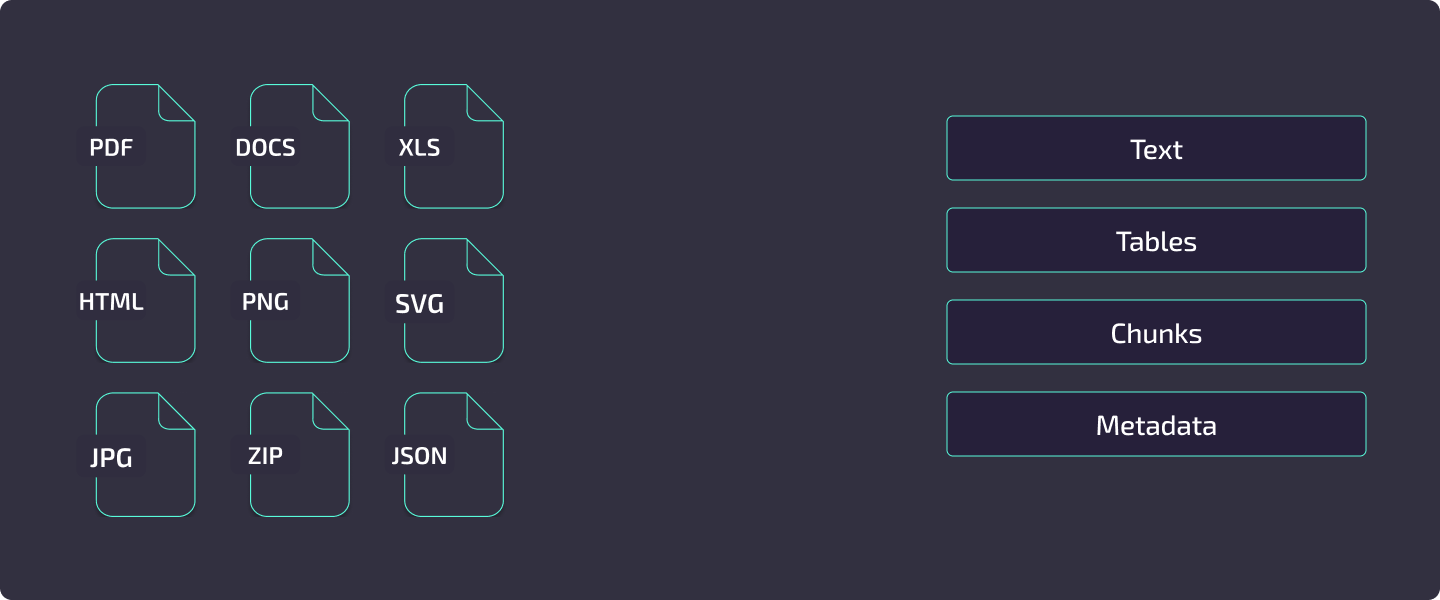
Kreuzberg is a document intelligence library built on a Rust core with bindings for 12 languages. It extracts text, tables, and metadata from 91+ file formats, runs OCR when needed, and feeds the results through a configurable post-processing pipeline -- chunking, embeddings, keyword extraction, and more.
This page is a map of what Kreuzberg can do. Each section links to the guide or reference page where you will find configuration details and code examples.
Format Support
Kreuzberg handles 91+ file formats through native Rust extractors. No external tools such as LibreOffice are required.
.pdf
Word .docx .doc
Pages .pages
PowerPoint .pptx .ppt
Keynote .key
OpenDocument .odt
Plain text .txt
Markdown .md
Djot .djot
MDX .mdx
RTF .rtf
reStructuredText .rst
Org .org
Hangul .hwp .hwpx
.xlsx .xls .xlsm .xlsb
Numbers .numbers
OpenDocument .ods
CSV .csv
TSV .tsv
dBASE .dbf
.jpg .jpeg
PNG .png
GIF .gif
BMP .bmp
TIFF .tiff .tif
WebP .webp
JPEG 2000 .jp2 .jpx .jpm .mj2
JBIG2 .jbig2
PNM .pnm .pbm .pgm .ppm
.eml
MSG .msg
.html .htm
XHTML .xhtml
XML .xml
SVG .svg
.json
YAML .yaml
TOML .toml
.zip
TAR .tar .tgz
GZIP .gz
7-Zip .7z
.epub
BibTeX .bib
RIS .ris
CSL .csl
LaTeX .tex
Typst .typ
JATS .jats
DocBook .docbook
OPML .opml
For the full format matrix with MIME types, extraction methods, and special capabilities, see the Format Support Reference.
Extraction Pipeline
Every file -- whether a single PDF or a batch of thousands -- flows through the same multi-stage pipeline:
flowchart LR
    A[Input File] --> B[MIME Detection]
    B --> C[Format Extractor]
    C --> D{OCR Needed?}
    D -->|Yes| E[OCR Engine]
    D -->|No| F[Post-Processing]
    E --> F
F --> G[ExtractionResult]- MIME detection -- Kreuzberg identifies the file type from magic bytes and extension, then selects the matching native extractor from the registry.
- Format extraction -- The extractor pulls text, tables, metadata, and optionally images from the file. PDF extraction uses pdfium; Office formats use streaming XML parsers; images pass directly to OCR.
- OCR -- When the extractor finds no text layer (or
force_ocris set), the file is routed to the configured OCR backend. The OCR result replaces or supplements the extracted text. - Post-processing -- Validators, quality processing, chunking, embeddings, keyword extraction, and any registered post-processor plugins run in sequence.
- Caching -- If caching is enabled, results are stored keyed by a content hash so repeated extractions skip the entire pipeline.
For a deep dive into each stage, see Extraction Pipeline.
Output Formats
Kreuzberg supports five output formats: Plain text, Markdown, Djot, HTML, and Structured (JSON). The HTML format includes a styled renderer with semantic kb-* CSS classes, five built-in themes, and CSS custom properties for full customization. See HTML Output for details.
OCR Engines
Kreuzberg supports three OCR backends. You can use one backend, or chain multiple backends into a fallback pipeline that automatically retries with the next engine when quality is low.
Backend Comparison
| Tesseract | PaddleOCR | EasyOCR | |
|---|---|---|---|
| Languages | 100+ | 80+ (11 script families) | 80+ |
| Best for | General purpose, broad language coverage | CJK, complex scripts, high accuracy | GPU-accelerated workloads |
| Platform | All bindings including WASM | All non-WASM bindings | Python only |
| Install | System package (tesseract-ocr) |
Cargo feature paddle-ocr or pip install kreuzberg[paddleocr] |
pip install kreuzberg[easyocr] |
| Runtime | C library (Tesseract 4.0+) | ONNX Runtime (models downloaded on first use) | PyTorch (optional CUDA) |
| Python version | Any | Native: any. Python package: <3.14 | <3.14 |
Multi-Backend Pipeline
Added in v4.5.0
When the paddle-ocr feature is enabled, Kreuzberg automatically constructs a fallback pipeline: Tesseract runs first, and if the output falls below configurable quality thresholds (16 tunable parameters), PaddleOCR takes over. You can also define a custom ordering across all three backends.
The pipeline supports auto-rotate for page orientation detection (0/90/180/270 degrees) and per-stage language and backend-specific settings.
flowchart TD
    A[Image / Scanned Page] --> B[Primary Backend]
    B --> C{Quality Above Threshold?}
    C -->|Yes| D[Return Result]
    C -->|No| E[Fallback Backend]
    E --> F{Quality Above Threshold?}
    F -->|Yes| D
    F -->|No| G[Return Best Result]
Document-Level Optimization
Added in v4.5.3
Some OCR backends (including EasyOCR) now support document-level processing. When a file path is provided, the extractor can bypass the expensive page-by-page rendering stage and delegate the entire document to the OCR engine. This significantly reduces memory overhead and improves throughput for large PDFs and multi-page images.
For backend configuration, language selection, and PSM/OEM modes, see the OCR Guide.
Processing Features
After extraction, Kreuzberg can run a chain of processing steps. Each is optional and configured independently through ExtractionConfig.
For RAG Pipelines
Content Chunking -- Split extracted text into sized chunks for LLM consumption. Strategies include recursive (paragraph/sentence/word splitting), semantic, and Markdown-aware chunking that preserves heading hierarchy. Chunks can be sized by character count or by token count using any HuggingFace tokenizer.
Embeddings -- Generate vector embeddings locally using FastEmbed. Choose from preset models ("fast", "balanced", "quality") or any FastEmbed-compatible model. Embeddings are generated in-process with no external API calls.
Page Tracking -- Extract per-page content with byte-accurate offsets for O(1) page lookups. Chunks are automatically mapped to their source pages, enabling precise citations in retrieval systems. Supported for PDF (byte-accurate), PPTX (slide boundaries), and DOCX (best-effort page breaks). See Extraction Basics for usage.
PDF Hierarchy Detection -- Detect document structure from PDFs using K-means clustering on block characteristics (font size, weight, indentation, position). Blocks are assigned to semantic levels (title, section, subsection, paragraph) without relying on explicit heading tags. See the PDF Hierarchy Guide.
PDF Page Rendering -- Render individual PDF pages as PNG images for thumbnails, vision model input, or custom processing pipelines. Memory-efficient iterator renders one page at a time. Configurable DPI (default 150). Available across all language bindings. See PDF Rendering Guide.
Added in v4.6.2
LLM-Powered Intelligence
Added in v4.8.0
Kreuzberg integrates with 146 LLM providers including local inference (Ollama, LM Studio, vLLM, llama.cpp) via liter-llm to unlock three new capabilities that complement the local extraction pipeline.
VLM OCR -- Vision language models as an OCR backend
Use OpenAI GPT-4o, Anthropic Claude, Google Gemini, or any vision-capable model as an OCR engine. VLM OCR delivers superior accuracy on low-quality scans, handwriting, Arabic/Farsi scripts, and complex layouts where traditional OCR struggles. Configure via `ocr.backend = "vlm"` with `ocr.vlm_config` in your extraction config or `kreuzberg.toml`.Structured Extraction -- Extract typed JSON from documents using a schema
Provide a JSON schema and an optional Jinja2 prompt template; the LLM returns conforming structured data. Supports strict mode (OpenAI) with automatic `additionalProperties` sanitization for cross-provider compatibility. Available through the `kreuzberg extract-structured` CLI command, `POST /extract-structured` API endpoint, and `extract_structured` MCP tool.VLM Embeddings -- Provider-hosted embedding models
Use provider-hosted embedding models (for example, `openai/text-embedding-3-small`, `mistral/mistral-embed`) as an alternative to local ONNX models. Works through the existing `/embed` API endpoint, `embed_text` MCP tool, and `embed` CLI command with `--provider llm`.Custom Jinja2 Prompts -- Minijinja template engine for LLM prompts
Customize the prompts sent to LLMs with Minijinja templates. Available variables for structured extraction: `{{ content }}`, `{{ schema }}`, `{{ schema_name }}`, `{{ schema_description }}`. For VLM OCR prompts: `{{ language }}`. Override the default prompt per-request or in configuration.LlmConfig and StructuredExtractionConfig types are exposed in Python, Node.js, and PHP bindings. Five new environment variables (KREUZBERG_LLM_MODEL, KREUZBERG_LLM_API_KEY, KREUZBERG_LLM_BASE_URL, KREUZBERG_VLM_OCR_MODEL, KREUZBERG_VLM_EMBEDDING_MODEL) provide zero-code configuration.
For Search and Indexing
Keyword Extraction -- Extract key phrases using YAKE (unsupervised, language-independent) or RAKE (fast statistical method). Configurable n-gram ranges and language-specific stopword filtering. See the Keyword Extraction Guide.
Language Detection -- Identify 60+ languages with confidence scoring using fast-langdetect. Supports multi-language detection for documents with mixed content.
Metadata Extraction -- Pull document properties (title, author, creation date), page/word/character counts, and format-specific metadata (Excel sheet names, PDF annotations).
For Code
Code Intelligence -- Extract functions, classes, imports, exports, symbols, docstrings, and diagnostics from 248 programming languages via tree-sitter. Results are available in ExtractionResult.code_intelligence as a ProcessResult. Code files produce semantic chunks (function/class-aware) that bypass the text-splitter entirely. Configure content mode with CodeContentMode: chunks (default, semantic TSLP chunks), raw (source as-is), or structure (headings + docstrings only).
For Data Quality
Quality Processing -- Unicode normalization (NFC/NFD/NFKC/NFKD), whitespace and line break standardization, encoding detection, and mojibake correction.
Token Reduction -- Reduce token count while preserving meaning through TF-IDF-based extractive summarization. Three modes: light (~15% reduction), moderate (~30%), and aggressive (~50%).
Table Extraction -- Structured table data from PDFs, spreadsheets, and Word documents with cell-level row/column indexing, merged cell support, and Markdown or JSON output.
Layout Detection
Added in v4.5.0
Detect and classify document regions using ONNX-based deep learning models. Layout detection identifies tables, figures, headers, text blocks, code sections, forms, and more, then feeds that structure into extraction for better accuracy.
Model Presets
| Preset | Model | Element Classes | Use Case |
|---|---|---|---|
"fast" |
YOLO | 11 | High-throughput pipelines, general documents |
"accurate" |
RT-DETR v2 | 17 | Complex layouts, forms, mixed-content pages |
Layout detection includes SLANet table structure recognition for HTML table recovery with colspan/rowspan, heading detection with confidence-based overrides, and GPU acceleration via ONNX Runtime (CUDA, CoreML, TensorRT).
Models are automatically downloaded and cached from HuggingFace on first use. Available across all language bindings except WebAssembly -- WASM does not support layout detection because ONNX Runtime is unavailable in browser environments.
For configuration and usage examples, see the Layout Detection Guide.
Plugin System
Kreuzberg's extraction pipeline is extensible through four plugin types, each hooking into a different stage:
flowchart LR
    A[File Input] --> B[Document Extractor Plugin]
    B --> C[OCR Backend Plugin]
    C --> D[Validator Plugin]
    D --> E[Post-Processor Plugin]
E --> F[Output]| Plugin Type | Purpose | Example |
|---|---|---|
| Document Extractors | Add support for custom file formats or override defaults | Proprietary format parser |
| OCR Backends | Integrate cloud OCR services or custom engines | AWS Textract, Google Vision |
| Validators | Enforce quality standards on extraction results | Minimum word count check |
| Post-Processors | Transform or enrich results after extraction | PII redaction, custom metadata |
Plugins are registered with a priority value that determines execution order. Discovery works through Python entry points, configuration files, or environment variables.
For the architecture overview, see Plugin System. For implementation guidance, see Creating Plugins.
Deployment Modes
| Mode | When to Use | Details |
|---|---|---|
| Library | Embedding extraction into your application | Import the package in Python, TypeScript, Rust, Go, Ruby, C#, Java, PHP, Elixir, R, or C |
| CLI | One-off extractions, scripting, CI pipelines | kreuzberg extract document.pdf --format json -- see CLI Usage |
| REST API | Multi-service architectures, language-agnostic access | kreuzberg serve --port 8000 -- see API Server Guide |
| MCP Server | AI agent integration (Claude Desktop, Continue.dev) | kreuzberg mcp -- stdio transport with JSON-RPC 2.0 |
| Docker | Reproducible deployments with all dependencies bundled | ghcr.io/kreuzberg-dev/kreuzberg:latest -- see Docker Guide |
Language Bindings
Kreuzberg's Rust core is exposed through native bindings for 12 languages. All bindings share the same extraction engine and produce identical results.
Binding Tiers
Full feature parity with async API -- Python (PyO3), TypeScript/Node.js (NAPI-RS), Rust
Full features, synchronous API -- Go, Ruby, C#, Java
Subset or constrained environment -- TypeScript/WASM (browser/edge, no filesystem or server modes), PHP, Elixir, R, C (FFI)
TypeScript: Native vs WASM
Native (@kreuzberg/node) runs at full speed with complete feature parity including servers, plugins, and config file discovery. WASM (@kreuzberg/wasm) runs in browsers and edge runtimes at 60-80% of native speed with no native dependencies, but lacks filesystem access, server modes, file-based configuration, layout detection (requires ONNX Runtime), hardware acceleration config, concurrency config, and email config. Choose Native for server-side Node.js; choose WASM for browser or edge deployments.
Rust Feature Flags
Rust builds are modular through Cargo features. Nothing is enabled by default -- you opt into exactly what you need:
| Category | Features |
|---|---|
| Format extractors | pdf, excel, office, email, html, xml, archives, markdown, djot, mdx |
| Processing | ocr, paddle-ocr, language-detection, chunking, embeddings, quality, keywords, stopwords |
| Servers | api, mcp |
| Bundles | full (all extractors + processing), server, cli |
Package Installation
For API details per language, see the API Reference.
Configuration
Kreuzberg supports four configuration methods, checked in this order:
- Programmatic -- Construct
ExtractionConfigobjects in code (all bindings) - TOML --
kreuzberg.toml - YAML --
kreuzberg.yaml - JSON --
kreuzberg.json
Config files are auto-discovered from the current directory, ~/.config/kreuzberg/, and /etc/kreuzberg/. Environment variables (KREUZBERG_CONFIG_PATH, KREUZBERG_CACHE_DIR, KREUZBERG_OCR_BACKEND, KREUZBERG_OCR_LANGUAGE) override file-based settings.
For the full configuration schema and examples, see the Configuration Guide.
AI Coding Assistants
Added in v4.2.15
Kreuzberg ships with an Agent Skill that teaches AI coding assistants the complete API across Python, TypeScript, Rust, and CLI. Install it with:
Compatible with Claude Code, Codex, Gemini CLI, Cursor, VS Code, Amp, Goose, Roo Code, and any tool supporting the Agent Skills standard. See the AI Coding Assistants Guide.
Next Steps
- Installation -- Install Kreuzberg for your language
- Quick Start -- Extract your first document in 5 minutes
- Architecture -- Understand the Rust core and binding layers
- Performance -- Benchmarks and optimization guidance